Link Placement & Preview Suggestions
I noticed the article link is now being placed in the comments instead of the post. It’d be great to still have an option to include the article’s image in the post itself, or generate an image inspired by the article. I’m not super familiar with the algorithm side of things, but posts with images usually feel more attention grabbing for people who are scrolling.
It might also be helpful to give users a choice to place the article link either in the post or in the comments. Even if you still recommend the “best practice” placement, I’m sure there are people that will still prefer to do it their way.
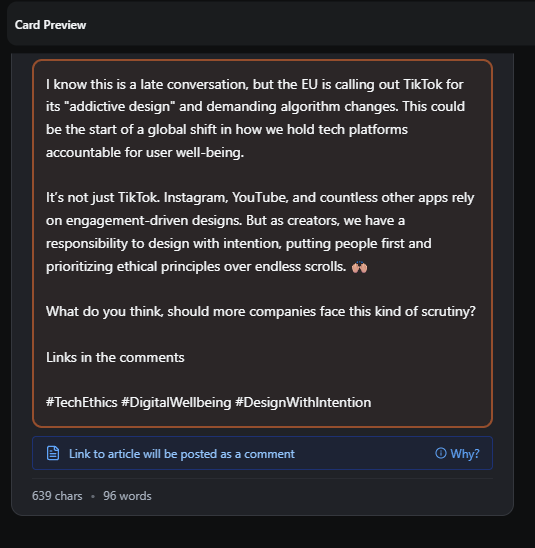
Also, a preview of how the comment (and link) will appear would be really useful. Posting without knowing what the link preview will look like makes me a little uneasy.
Log in to comment and vote
Comments3
William Patterson
Feb 16
@Eric Veciana thanks for calling this out. We pushed an update this evening that will address your concerns. The create/edit post modal now allows users to see any initial comments that will be going along with the post allowing them to edit or remove. You can also now tell the AI to move the link to the post.
We will be adding a preference switch shortly that will allow you to enable/disable this feature permanently. Should be out this week.
William Patterson
Feb 13
@Eric Veciana I’m not fully sure i’m understand the link between article URLs in the body of the post and images. You can generate an AI image or upload an image just like before. Only the URL/link of the article has moved to the comments.
Eric Veciana
Feb 13
Well, when you post something with a link in the body of the post, the link creates a preview of the link so viewers can see that immediately. And I think it catches the viewers attention more if there is an image (link preview in this case) in the body. So my suggestion would be to be able to create an image based on the link preview image, so that you can post that image in the body of the post. Lmk if I’m not making sense 😅