Create your First Post
Create a single post or a series and turn your ideas into ready-to-publish content.
Written By Daisy Veciana
Last updated 6 months ago
Overview
Creating a post in Trbby helps you turn your ideas into structured content and prepare it for publishing across your channels.
You can create either a single post for immediate content or a series of posts to plan content over time.
Create Your First Post
Click + Create in the top right, go to Posts in the sidebar and select Create Post, or create a post directly inside a project
Choose Single Post or Series of Posts
Select your Project (single post) or Channel (series)
Enter your idea or prompt
Click Generate to create your content
Select your date and time for publishing (or scheduling)
Review and edit your post
Click Submit, then confirm your post to finalize
Where to Create a Post
You can start creating content from different areas depending on how you prefer to work:
+ Create (Top Right)
Quickly start a new single post or series from anywhere in the platform.
Posts (Left Sidebar)
Go to Posts and click the Create Post button to begin.
Inside a Project
Open a project and use the Create Post button to create content within that project.
Single Post
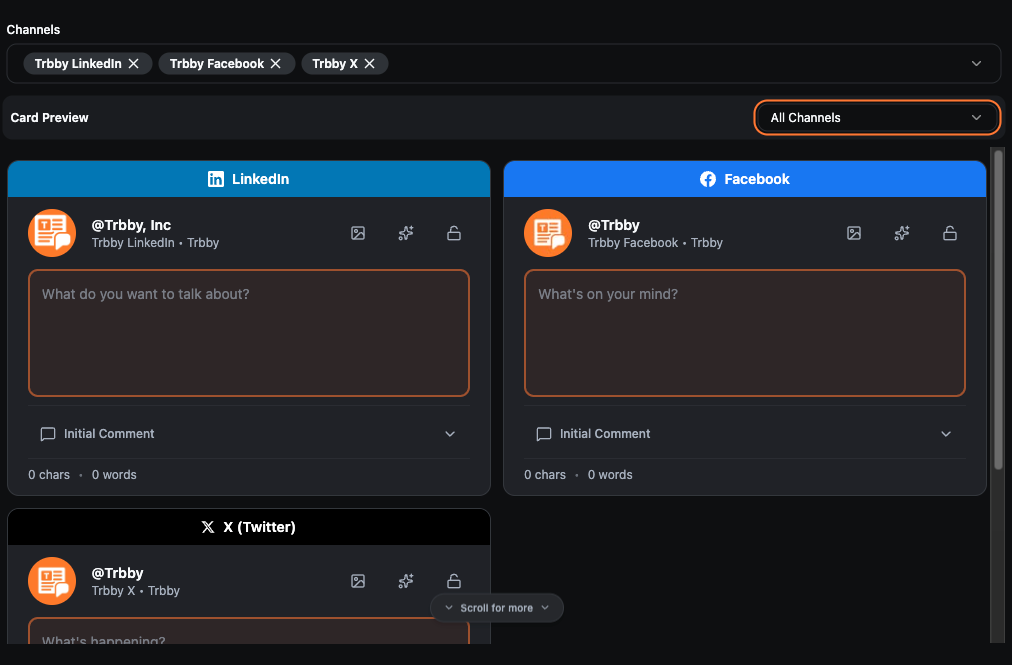
A Single Post allows you to create one piece of content across multiple channels within a project.
You’ll:
Select a project
Choose the channels you want to post to
Enter your idea or prompt
Work with AI to generate and refine your content
This is best for creating one-off posts or sharing the same idea across platforms.
Series of Posts
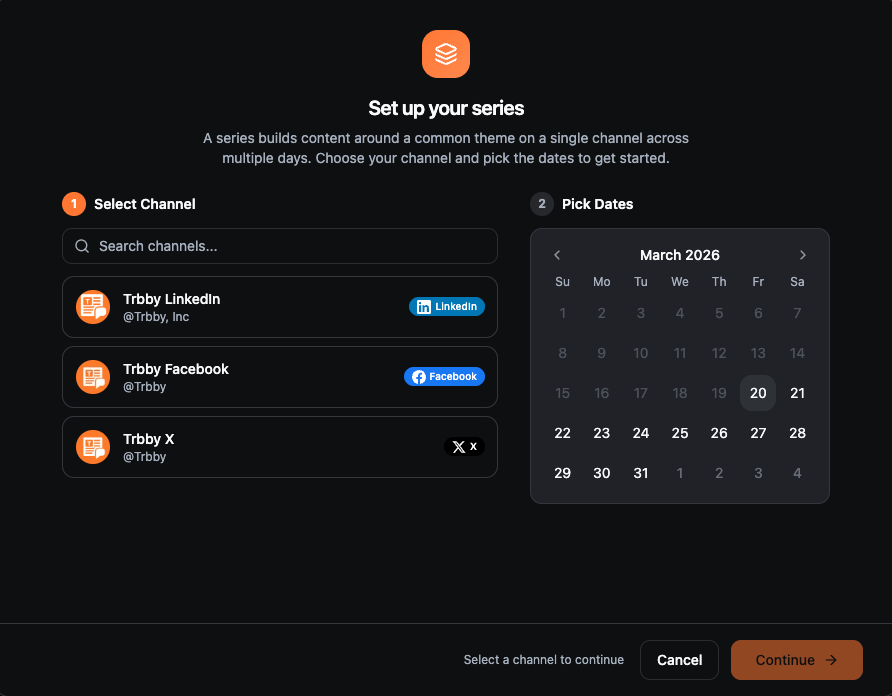
A Series of Posts allows you to plan multiple posts over time for a single channel.
You’ll:
Select a channel
Choose multiple dates
Build content around a common theme
This is useful for staying consistent and planning content ahead.
What Happens Next
Once your post is created, you can refine your content, adjust it per channel, and prepare it for publishing or scheduling.
Congrats, you’ve created your first post! 🎉
You’ve completed the Getting Started guide.
Need Help?
If you run into any issues, our team is happy to help. You can reach us in our Discord community or by emailing our support team at support@trbby.com.
Was this helpful?
Still need help? Ask the team